Transactions usually tell a certain story about your business. Traditionally, cash register used to be a secure box for money storage. But today, that dynamic has shifted into another rail. The modern checkout counter functions as a central system of your business, and it’s called the Point of Sale (POS) System.
- What Is a Point of Sale (POS) System?
- Software and Hardware of the Point of Sale (POS) System
- Key Features to Look For in a POS (The “Must-Haves”)
- Types of POS Systems by Industry
- Benefits of Upgrading to a Modern POS
- The Fortress of e-Commerce & The POS Security in 2026
- How to Choose a POS System (A Simple Guide)
- Frequently Asked Questions (FAQ)
A Point of Sale (POS) system is a digital platform where customer transactions, inventory management, and sales data converge to facilitate payment processing. Automating manual tasks, ensuring accurate stock levels, and providing real-time insight boost the overall profitability.
POS’ functions are not limited to mere payment processes. Rather, it acts as the major operational heart of the company since it syncs inventory and customer management with real-time data analytics to boost growth.
Choosing the right POS is certainly one of the most critical decisions every business owner has to make in 2026. In EZ PIN, we guide you through the ins and outs of the technology that powerfully drives retailers and companies forward today.
What Is a Point of Sale (POS) System?
POS at its core is a system of exchange that trades goods for money. However, modern POS has expanded significantly.
POS has been evolving rapidly over the recent years. We moved from mechanical cash registers or ECRs that connected sales to servers on the spot, which required heavy IT maintenance. But now we are witnessing a new era of the cloud system.
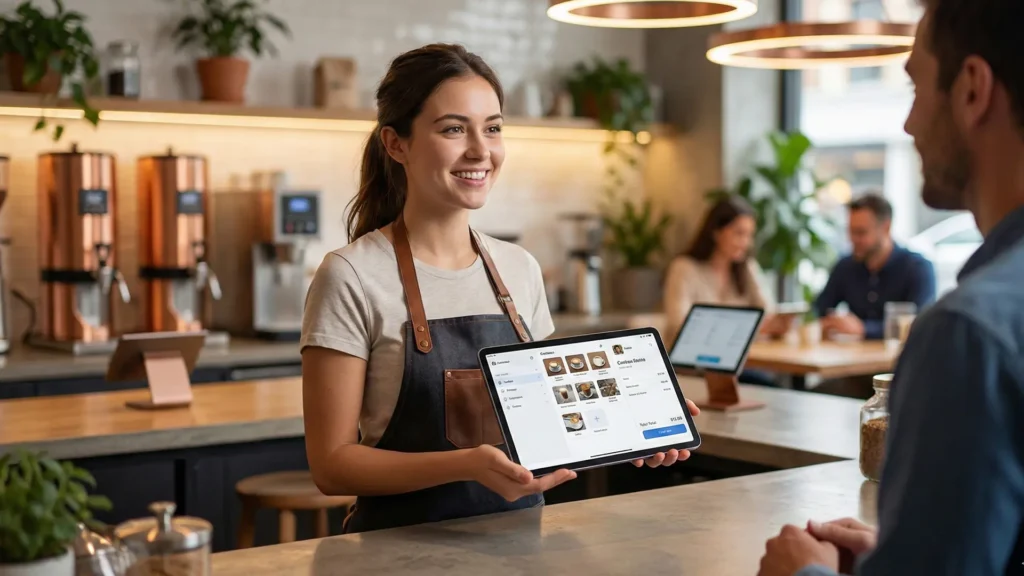
The new systems connect your physical storage with e-commerce functionality and mobile devices to create a unified exchange system that is trackable, analyzable, and manageable.
Software and Hardware of the Point of Sale (POS) System
Like any modern system, a functioning POS system relies on two distinct but inseparable components: Software and Hardware. In order to choose the right setup, you should first understand how these interact.
POS Software
The software is the “brain” of the operation. It comes in two sections:
On-premise POS is the traditional model. Software is installed on a local server located inside your company or business. The system operates as a closed circuit. Although the traditional method is quite stable even without an internet connection, the remote management and software updates are difficult and expensive to operate.
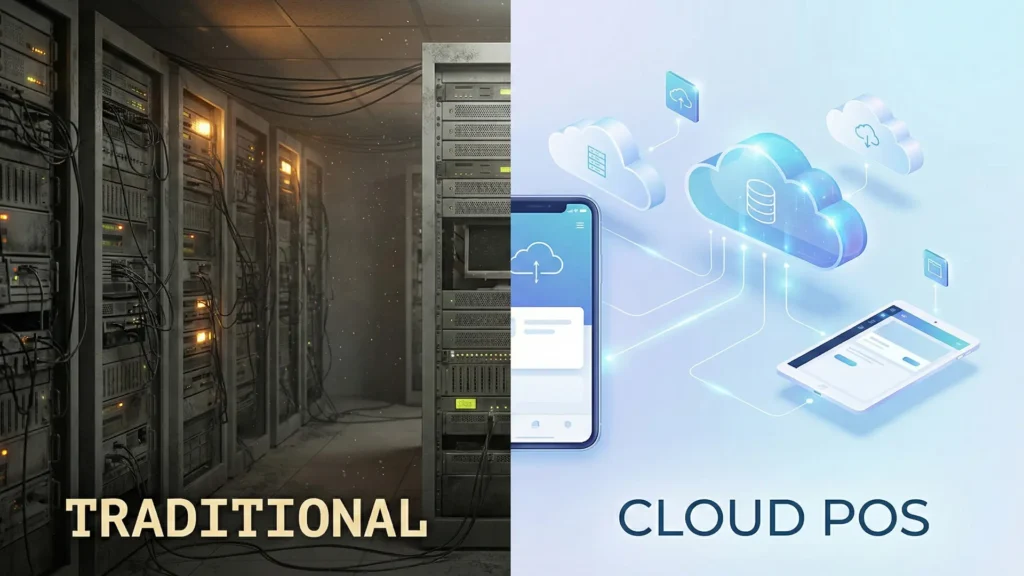
Cloud-based POS (SaaS) is the modern variation of the Point of Sale (POS) system. The data is stored securely on remote servers accessible via the internet. The advantage of the system is that you can check the data from home or manage your inventory across other locations instantly. Usually, cloud models are used as subscriptions. This promotes lower upfront costs. You can always have the best security features available with the subscription.
POS Hardware
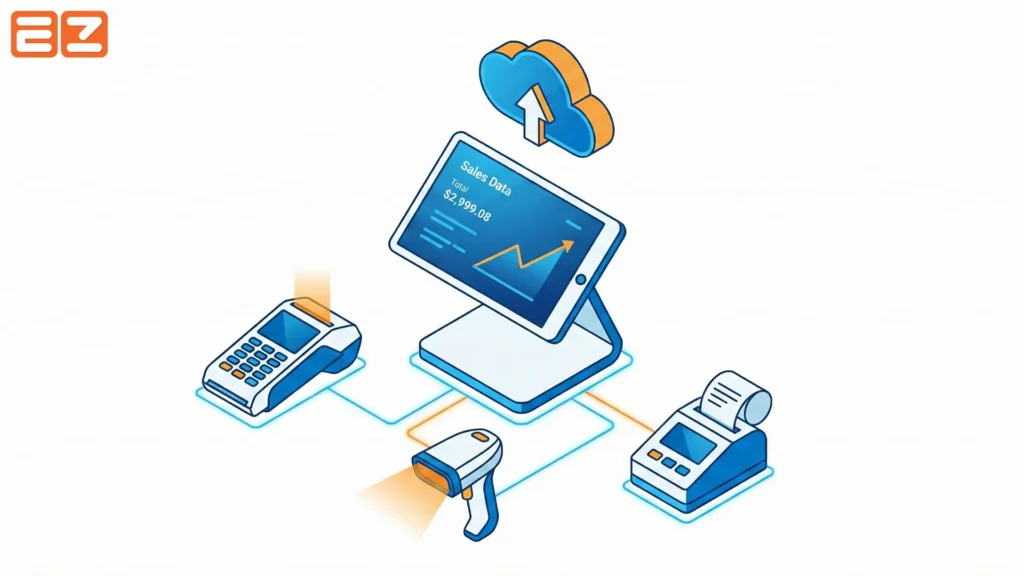
As the software plays its part in providing the logic behind the operations, the hardware supports the physical interface for your employees and customers. A standard setup usually includes the following:
- Register Screen: This is usually a touchscreen monitor or tablet (like an iPad) where staff view the product library and execute orders.
- Card Reader (Terminal): A critical device that captures payment data via magstripe swipe, EMV chip dip, or NFC contactless payments like Apple Pay.
- Receipt Printer: Despite the rise of email receipts, a physical thermal printer remains essential for compliance and customer preference.
- Barcode Scanner: These peripheral reads product SKUs to speed up checkout and reduce manual entry errors.
- Cash Drawer: A secure metal compartment that opens only when a cash transaction is finalized to minimize theft.
Key Features to Look For in a POS (The “Must-Haves”)
Not all Point of Sale (POS) systems function equally. In order to compete with other retailers, you need specific modifications that go beyond simple transaction processing.
| Feature | Primary Benefit to Operations | Impact on Customer Experience |
| Omnichannel Processing | Finance & Logistics: Unifies online and offline sales data; automates cross-channel refunds and stock adjustments. | Flexibility: Allows customers to “buy anywhere, return anywhere” for a frictionless experience. |
| Real-time Inventory | Purchasing: Prevents overstocking or stockouts with low-stock alerts and auto-generated purchase orders. | Reliability: Ensures that when a customer sees an item “In Stock” online, it is actually on the shelf. |
| CRM & Loyalty | Marketing: Builds a rich database of purchase history to create targeted, personalized promotions. | Appreciation: Rewards repeat customers automatically without the hassle of physical cards. |
| Analytics & Reporting | Management: Identifies peak sales hours, top-performing products, and staff efficiency to optimize scheduling. | Efficiency: Faster service during peak times and better-stocked shelves based on popular trends. |
| Third-Party Integration | Accounting: Automates tax prep and bookkeeping by syncing with tools like QuickBooks or Xero. | Relevance: Connects to email platforms (like Mailchimp) to send customers receipts and relevant offers. |
Omnichannel Payment Processing
What your customer usually expects is to shop anywhere! A good POS system integrates the physical properties and the online shop. So, if a customer buys a T-shirt online and returns it in-store, the system is required to refund the amount and update the stock levels automatically.
Real-time Inventory Management
Real-time inventory management is where the profitability is made or lost! If a system tracks every SKU simultaneously, the advanced features, such as low-stuck alerts and vendor management, notify you when the stock is low and automatically place an order to restock the goods in a clean and smooth way.
CRM and Loyalty Programs
Recently, CRM has functioned as a powerful branch. As the data of your customers is the most valuable asset of the company, a built-in Customer Relationship Management or CRM tracks purchase history to help you build personas. Personas, then, will aid you in building successful personalized marketing campaigns.
Also, loyalty programs are suggested to be software-native. This means that encouraging business repetitions without you handling it manually (such as physical punch cards).
Data Analytics and Reporting
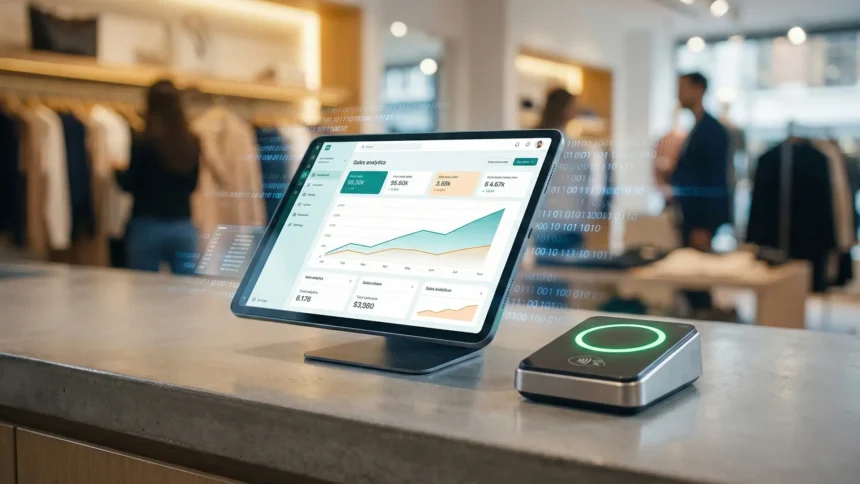
Typically, we cannot improve what we don’t measure. A visualized dashboard can help you to identify sales trends periodically or based on the kind of goods you sell. It can even report the top-performing employees.
Integration Capabilities
A POS is not an isolated island. A good one can be integrated with third-party software and tools. This will allow your system to synchronize with various accounting software. Apps like QuickBooks or Xero automate your tax preparation as well. Your POS should also connect with marketing platforms to turn the sales data into email campaigns or other marketing actions.
Types of POS Systems by Industry
Different businesses have unique operational flows that require specialized software architectures. So, below we delved into major models that you might seemingly find a resemblance to your business.
| POS Type | Primary Focus | Key Features | Operational Architecture | Ideal Use Case | EZ PIN Partner Example |
| Retail POS | Inventory Matrix | • Complex variant tracking (Size/Color) • Layaways • Gift Registries | High-Volume SKU Management: Designed to track single items across extensive variations (e.g., a shirt in 5 sizes and 3 colors). | Clothing boutiques, Department stores, Big-box retail. | Gap / Old Navy (Requires tracking specific clothing sizes/colors and managing gift card redemption at checkout.) |
| Restaurant / Hospitality POS | Speed & Coordination | • Table Management Maps • Kitchen Display Systems (KDS) • Immediate floor-to-kitchen communication | Real-Time Synchronization: Replaces inventory matrices with order flow logic to minimize ticket times and communication errors. | Full-service restaurants, Cafes, Fast-casual dining. | The Cheesecake Factory / Starbucks (Requires syncing complex food/drink orders from the front counter/table directly to the baristas or kitchen.) |
| Mobile POS (mPOS) | Flexibility | • Smartphone/Tablet compatibility • Portable card readers • Cloud-based connectivity | Agile & Portable: Removes the need for bulky countertop hardware, allowing transactions to happen anywhere. | Food trucks, Pop-up shops, Trade shows, Line-busting. | Independent Reseller / Pop-up Vendor (e.g., A vendor at a gaming convention selling PlayStation or Xbox codes via a tablet.) |
Retail POS
Retail systems are all about the Inventory Matrix. For example, a clothing boutique needs to track a single product across multiple seasons to track sales. Now, multiply this by 1000+ products. A Retail POS software handles these complicated tasks and eventually delivers a report based on size, color, and such.
Restaurant/Hospitality POS
For Restaurants and Hospitality, speed and accurate coordination are top-tier priorities. A good POS system replaces the classic Inventory Matrix with Table Management maps, and Kitchen Display Systems or KDS, for instance.
This way, when a server inputs an order, the process immediately shows it on the screen in the kitchen for communication error reduction.
Mobile POS (mPOS)
Being flexible is the defining feature of mPOS. These special POSs can run entirely on smartphones and tablets that are connected with portable card readers. Pop-up shops, food trucks, and promotional campaigns can use this POS. Usually, a bulky countertop setup is the most impractical model for such businesses.
Benefits of Upgrading to a Modern POS
We talked about what POS systems generally are, what they do, and what each kind offers based on a certain market. Yet, we have not talked about the enormous advantages. Moving from the traditional counter to a smart POS system influences every aspect of your business operations. They are (but not limited to): Operational Efficiency, Error Reduction, and Improved Customer Experience (CX).
Operational Efficiency acts as the primary benefit. If you automate mundane tasks like inventory counting and sales reconciliation, you can save countless hours of manual labor. This allows you to focus on customer service rather than administrative busywork.
Error Reduction is the immediate advantage. Manual price entry is always prone to human error. If you automate scanning and integrate payments into it, you can make sure that the amount charged matches the inventory sold exactly.
Improved Customer Experience (CX) drives upholding. Modern POS systems enable faster checkout lines and offer conveniences like digital receipts. Smooth transaction leaves a lasting positive impression.
The Fortress of e-Commerce & The POS Security in 2026
In a time where data breaches can bankrupt a business overnight, security is not just a feature!
Security for such businesses is the operation’s foundation. A modern Point of Sale (POS) system acts as the gatekeeper of sensitive customer data. So, if your system is vulnerable, you are not just risking money. You are also risking your reputation and privacy.
When choosing a POS partner like EZ PIN, you’ll trust a company that elevates its security standards to cloud nine in order to protect each transaction.
How to Choose a POS System (A Simple Guide)
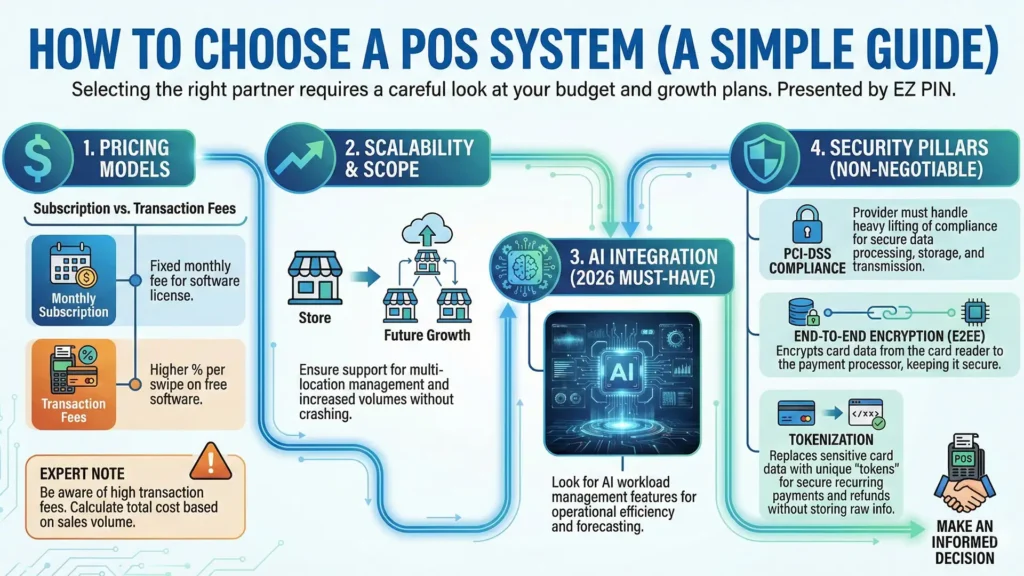
Selecting the right partner requires a careful look at your budget and growth plans. But in EZ PIN, we made it easy:
Pricing Models are Important
Most POS providers offer a subscription model. You pay a monthly fee in exchange for the software license.
Expert note: Be aware of Transaction Fees. Some providers offer free software but charge a higher percentage on every credit card swipe. Calculate your total cost of ownership based on your monthly sales volume.
Scalability That Matches Your Scope
Think about where your business will be in three years. Will you open a second location? Will you franchise? Ensure the system supports multi-location management and can handle increased transaction volumes without crashing.
AI Integration
Does the POS system you chose offer AI integration of any sort? In the world of 2026, relying on AI workload management is a must for companies. So make sure to take this into account.
PCI-DSS Compliance
The Payment Card Industry Data Security Standard (PCI-DSS) is non-negotiable. When choosing a POS provider, you must make sure that it handles the heavy lifting of compliance. This way, the card data is processed, stored, and transmitted securely.
End-to-End Encryption (E2EE)
You might have heard of this in the realm of social media and messaging apps. But the technology is also used to encrypt card data the moment it touches the card reader and keeps it encrypted until it reaches the payment processor.
Tokenization
Modern POS systems replace sensitive data with unique codes, like SKUs or, as it is called, a “token”. Instead of storing actual card numbers, POS systems store tokens so you can process recurring payments of refunds or resales without asking your customers for more raw financial info.
Frequently Asked Questions (FAQ)
1. What is the average cost of a POS system?
It depends on complexity. A basic mobile setup (mPOS) can cost under $100 for hardware. Full retail systems typically run $1,000–$2,000 for hardware, plus monthly software fees ranging from $60 to $200.
2. Do I need internet for a cloud POS?
Generally, yes. Cloud systems need the internet to sync data. However, most quality systems feature an “Offline Mode” to process payments and queue sales locally until your connection returns.
3. Can I use my own hardware?
It varies. “Closed” systems like Clover or Square often require proprietary hardware. “Agnostic” systems let you use existing iPads or third-party scanners, provided they meet technical specs.
4, How long are POS contracts?
This is shifting. Many modern cloud POS providers now offer month-to-month SaaS (Software as a Service) subscriptions. However, legacy systems or those including “free” hardware often still require 1–3 year binding contracts.
5. What are payment processing fees?
This is the fee paid per swipe. You will typically see either Flat Rate pricing (e.g., 2.6% + 10¢ per transaction) for simplicity, or Interchange Plus pricing, which passes the direct card cost to you plus a small markup (often cheaper for high-volume merchants).
6. How long does it take to set up?
A simple iPad system can be unboxed and live in under an hour. A complex restaurant system involving kitchen display screens, menu programming, and table mapping usually takes 2–4 weeks to fully configure and test.
7. Is my customer data secure?
Yes, if the system is PCI-compliant. Look for a POS that offers end-to-end encryption. This ensures customer